
On September 25, 2025, the Canadian Union of Postal Workers (CUPW) began national strike action at Canada Post. By October 10, the nationwide action had shifted into rotating strikes, with service resuming in some sectors, although delays persisted.
As physical mail slows down across Canada, charities that rely on mail-in donations face an all-too-familiar challenge. For organizations whose direct response fundraising still depends on legacy donors and mailed gifts, every delayed cheque or missing envelope can disrupt critical community support.
As of November 24, both parties have reached an agreement in principle, effectively ending the strike ahead of the peak holiday/shipping season, till further notice.
When physical mail slowed down across Canada, charities that rely on mail-in donations faced an all-too-familiar challenge. For organizations whose direct response fundraising still depends on legacy donors and mailed gifts, every delayed cheque or missing envelope disrupted critical community support.
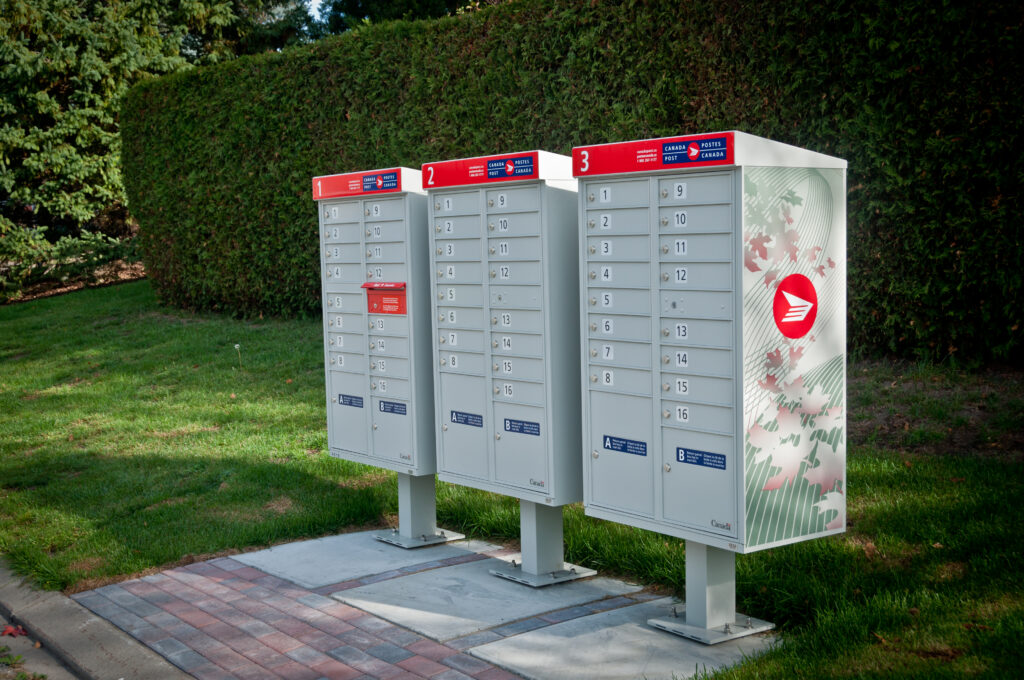
Canada Post community post boxes
The Ottawa Food Bank (OFB) is one such organization, and this isn’t the first time it has had to adapt. In 2024, the OFB team weathered a similar disruption from Canada Post. That experience forced the team to reassess their donor communications, reallocate budgets, and strengthen their digital infrastructure. All that groundwork has proven invaluable in 2025 as postal workers once again take job action, causing delivery delays across the country.
As the year enters Giving Season, we spoke with Rebekah Craig, Manager of Direct Response Fundraising at the Ottawa Food Bank, about how her team applied lessons from last year’s disruption to stay connected with donors and keep fundraising numbers steady despite the ongoing strike.
Which donors were most affected
Rebekah explains that two donor segments were particularly affected by the disruption. The first segment is legacy donors. “Legacy donations were impacted, as there were some delays in the receipt of notifications or gifts. Our team worked to let supporters know there would be a delay, and worked by email when possible.”
The second group is those who do not have an email address and rely solely on direct mail (DM). For this segment, Rebekah’s team adjusted their approach to ensure these supporters stayed informed and maintained trust, adapting mailing plans and communication methods to avoid sending materials that might not reach donors on time.
Managing donor communications
Clear communication was crucial. “We worked closely with our comms team and Blakely on messaging,” Rebekah says. “We referred to it as a postal disruption rather than a strike.”
The team leaned on every available channel to guide donors to alternatives. “We promoted other ways to give through our social media channels, as well as through a pop-up on our website,” she explains.
They also made a small but important tweak to their regular email fundraising cadence. “We added a P.S. to our fundraising emails (which go out frequently to begin with) that online giving is an efficient way to give, ensuring that the funds get to us during the disruption. It also means that donors get their tax receipt right away through raisin.”
Because they had prepared messaging in advance, they were ready to respond quickly. “As we had prepared messaging for 2024’s disruption, we had this at the ready as soon as there was news around a possible disruption this year,” Rebekah adds.
Cash flow and channel impacts
The disruption had a significant financial effect. “Our DM revenue had dropped around 80%,” Rebekah notes. “However, our digital had more than doubled by comparison to the previous year. This shows that our increased digital buy worked, and how lucky we are that our supporters will ensure that their gift gets to us.”
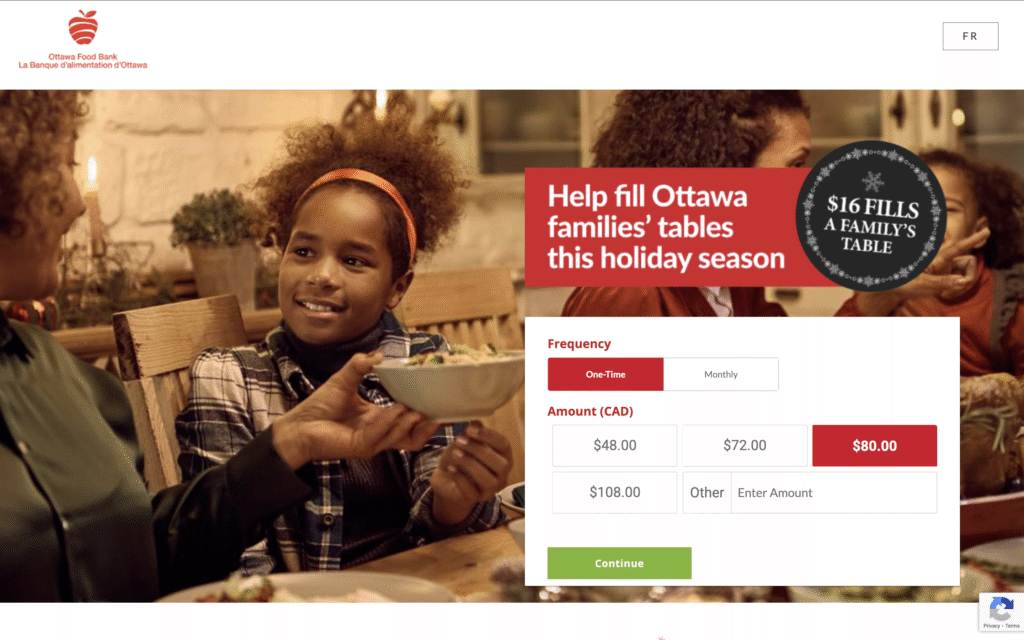
An online donation page for the Ottawa Food Bank holiday campaign
Rather than experiment with entirely new channels during a high-risk period, the Ottawa Food Bank redirected funds “saved” from paused direct mail into digital media. “If a mailing was unlikely to go out due to postal disruptions, we avoided hard costs by not printing,” Rebekah explains. “Those savings were then reinvested into digital media.”
When the mail resumed in January 2025, they included a special reminder in their first mailing. “When mailed campaigns resumed (Jan 2025), we put a buckslip into the first mail that went out,” Rebekah says. “The messaging on this buckslip was a reminder that the disruption impacted our ability to raise funds, and encouraged donations now.”
Guardrails for the future
Based on what they learned last year, the Ottawa Food Bank implemented three key guardrails for this year’s disruption.
- First, be ready early. “When there were whispers of a potential strike in May this year, we had prepared messaging ahead of time,” Rebekah says. “This messaging was quickly updated and rolled out for this current disruption.”
- Second, make sure donors know their options. “Encourage giving online, in person, or by phone (if available),” she advises. “Let them know about the delivery of their tax receipt in each situation, and what it means for donations getting to your organization.”
- Finally, keep a close eye on mail schedules. “See what is realistic to cancel within your schedule, or to have ready to go out when available,” Rebekah says. “Use any saved spend to reinvest in other platforms, or to soften the blow of any revenue impacts.”
Resilience, not just reliance
Despite the uncertainty, Rebekah remains optimistic. The lessons from last year’s disruption have proven invaluable, demonstrating the adaptability of both the Ottawa Food Bank team and their donors. While postal challenges may slow the delivery of mail, they don’t diminish the generosity that keeps communities fed.
For other nonprofits that still rely significantly on mailed gifts, the story of the Ottawa Food Bank offers a clear takeaway: prepare your messaging, diversify your channels, and keep donors informed. The postal disruption may be national in scope, but it doesn’t have to derail the generosity that keeps communities fed.
If your organization relies on mail-in giving, take a cue from Ottawa Food Bank and plan ahead to stay connected. Talk to a raisin fundraising expert to learn how to set your donors up for success this giving season. Book a meeting today.
Nonprofit ticketing is more than a way to admit people to your gala or golf tournament. For nonprofits, it’s a valuable tool for generating revenue and engaging the community in flexible ways. Organizations use it not just for the big events, but also for memberships, general admission, food and drink nights, local partnerships, and in so many other ways.
Interestingly, in some circles, it’s believed that ticketing removes the pressure of fundraising because it’s simply a ticket purchase, and sometimes even admission is free. That makes it one of the easiest entry points for supporters to get involved and start building a relationship with your organization.
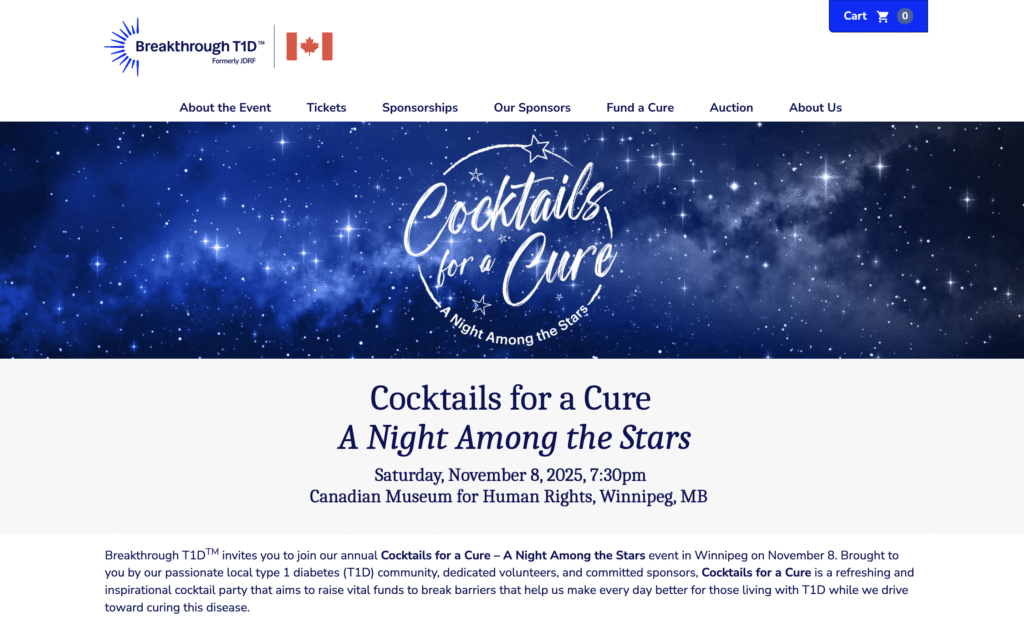
An example of an event ticketing page hosted on raisin (BT1D)
Nonprofit ticketing and event pricing strategies that work
Years of experience have shown us that the most effective pricing strategies strike a balance between high-level sponsors and accessible entry points for individuals. Lower-cost tickets often serve as a gateway to long-term commitment to the mission. Someone who attends at the $50 level may learn about the mission and become a larger donor in the future.
A few pricing strategies that have worked for some of our nonprofit clients include:
- Sponsorship packages starting at $1,000, $5,000, or $10,000 provide corporations with visibility and recognition.
- Accessible tickets, like a $100 dinner ticket, a $25 cocktail option, or a $50 after-party pass. Those make it possible for individuals to attend without committing to a full table. For instance, we once had an organization that hosted a gala offering a cocktail-only ticket for $25. It gave people who couldn’t afford the full dinner a way to participate, and in many cases, those attendees became more engaged supporters over time.
- Early-bird pricing works exceptionally well for golf tournaments. Because spaces are limited, offering a short-term discount or perk, like a free cart rental or lunch, motivates players to register quickly. Organizations also benefit by locking in funds earlier to cover upfront event costs.
- VIP tiers are effective when tied to tangible extras. In golf events, a VIP package might include premium seating at the dinner, cart rental, and extra food and drink vouchers. For galas, it could mean access to a private reception before the main event.
Event registration flow best practices
The registration flow has a significant impact on whether people complete their purchase. Where nonprofits often lose people is in the number of steps. Ticketing requires more clicks than other modules; cart, attendee information, account creation, updates, and every extra step creates friction. Simplifying as much as possible reduces drop-off. A few practices stand out:
Make attendee information optional.
Buyers often don’t know their guests’ names at the time of purchase. Letting them move forward at the point of registration, then updating later, removes a major barrier.
Add a soft donation ask.
An optional prompt at checkout allows supporters to add a gift without slowing down the checkout process. It’s not mandatory, but if someone wants to provide extra support, they’ll have a seamless way to do so.
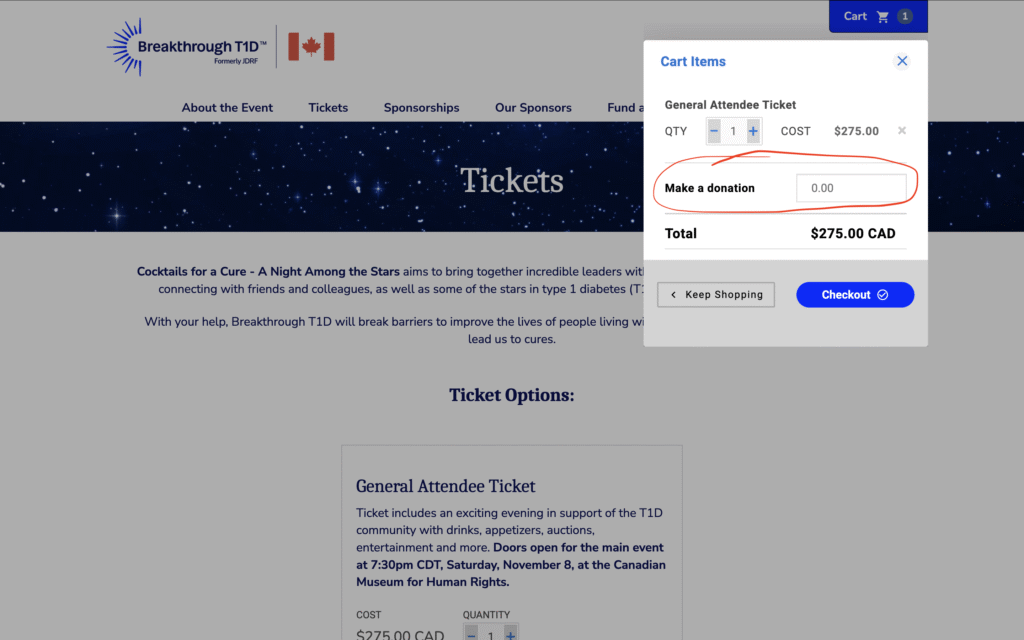
An example of a ticketing page with a soft donation ask (BT1D)
Be clear about inclusions.
For galas, this means asking about dietary restrictions and meal preferences at checkout. For golf, it’s things like confirming whether cart rentals or lunch are included. Another organization learned this the hard way. They forgot to include meal options in their registration form and had to follow up with every ticket buyer manually before the gala. By adding those questions directly into the ticket purchase flow, they saved themselves weeks of back-and-forth the following year.
How to connect nonprofit ticketing to fundraising
Ticketing doesn’t have to stand on its own. It can connect directly to your fundraising goals in a few ways:
- Tracking and analytics: Adding Google Tag Manager or Facebook Pixel helps measure conversions and see where buyers come from.
- Integrations: Tools like MailChimp, Salesforce, or DonorPerfect make it easier to segment purchasers and attendees, follow up after the event, and invite last year’s attendees to become this year’s buyers or sponsors.
- Non-ticketed items: Add-ons such as drink tickets, lunch vouchers, or mission-related purchases (e.g., $25 for Christmas gifts for a child in the hospital). These don’t count toward your event’s ticket cap and can be set at 100% receiptable value. For donors, they feel tangible; for organizations, they’re essentially donations in disguise. An organization’s golf tournament used non-ticketed items to great effect. Alongside foursome and dinner packages, they added $20 raffle tickets and $50 mission gifts at checkout. These small add-ons significantly boosted revenue without creating extra complexity.
How raisin helps nonprofit ticketing and event registration
raisin’s ticketing tools give nonprofits flexibility while keeping things simple for participants. With raisin, you can:
- Create multiple price tiers and packages.
- Make attendee info optional and editable after purchase.
- Add donation prompts and non-ticketed items at checkout.
- Connect seamlessly with Salesforce, DonorPerfect, MailChimp, and other systems.
raisin also gives you the tools to actually run the room, before and after tickets are sold.
- Two clean “lanes” for selling: set up Registration items (the items a guest buys from “Buy Tickets/Choose a Registration Option”) alongside Sponsorship items (packages a company buys from “Sponsor Event/Choose a Sponsorship Option”). You control price, inventory, and how many tickets a package includes; when an item is gone, it shows up as “Sold Out”. You can even create zero-inventory items to display what’s already been purchased and include the sponsor’s logo for recognition.
- Manage event users in one place: search for purchasers, attendees, billing contacts, and volunteers; update profiles; and reissue tickets by email or PDF with just a couple of clicks. If someone checked out as a guest, admins can create login credentials later so they can manage their tickets.
- Tables, foursomes, and seating without the chaos: every purchase is automatically assigned a Group name/number, so you can see who belongs together and quickly re-assign attendees to other groups to balance tables or foursomes. You can also add attendees from the admin side (handy for VIPs added after the fact). Admin-added attendees don’t automatically deduct from capacity, so you stay in control of your counts.
- Build and edit groups on the fly: create new groups (tables) from the console, rename them, add descriptions, and leave attendees “unnamed” until the host confirms their guests. Then drop people into seats as details firm up.
In conclusion
These workflows are what make the difference on event day. Sponsors are packaged and tracked cleanly, guest lists stay fluid without breaking your caps, and your team can quickly fix tickets, seats, and typos. All without having to dig through spreadsheets.
Nonprofit ticketing and event registration aren’t just about logistics. When done well, they help organizations (like yours) sell out faster, engage your supporters right, and connect ticketing events back to larger fundraising goals. By offering flexible pricing, optimizing registration, and linking ticketing to fundraising, nonprofits can make their events more impactful from start to finish.
Words by Sonia Amadi and Jenn Agnew
Online donation forms are the baseline for nonprofit fundraising. They’re the backbone for most organizations. Whether these organizations are running ticketed events, peer-to-peer campaigns, or DIY campaigns, you’re always going to have at least one long-standing donation page set up on your site. Those are the pages that quietly drive gifts day in and day out without all the extra push work.
The problem is that many nonprofits set up a templated page once, maaaybe swap out a logo, and never think about it again. But the donation page is where the “money ask” happens. There’s a lot of psychology wrapped up in that moment. It’s about trust, legitimacy, and how confident a donor feels about giving to you. That’s why the donation page ends up shaping not just conversion rates but also how people see your brand and whether they come back to give again.
Additionally, trends in how donors interact with forms continue to shift (with some generational nuance, of course). For instance, mobile is huge now. Most younger people don’t want to pull out a laptop or even their wallets. They expect to be able to donate right from their phone. Apple Pay, Google Pay, PayPal, those kinds of quick, seamless options matter a lot. Donors want the process to be fast and easy.
The challenge for nonprofits is to keep that flow short and simple while still communicating their brand and message.

An example of a donation page (Kids Help Phone)
So, what does “customizable” really mean?
With online donation forms, “customizable” means much more than dropping in your logo and brand colours. A customizable form means you control the entire flow, including your request from donors, how you ask, and how the donor experiences these requests.
That control covers deciding on donation types, necessary donor information, and suitable language, among other things. Customization is really about making the form feel like your organization, while keeping it easy and clear for the donor.
Considerations when building an online donation form
A few things nonprofits should think about when they’re creating or refreshing a donation page:
- Be intentional. Don’t settle for the default. Don’t just use the standard template and only replace your number or logo. Think through what your organization’s needs are, design a flow that matches those needs, and keep the asks as simple as you can.
- Match your brand. Ensure the page feels like it’s part of your site, not something separate or generic. That includes brand colours, fonts, photo styles, icon/emoji choices, footer, header, and other elements.
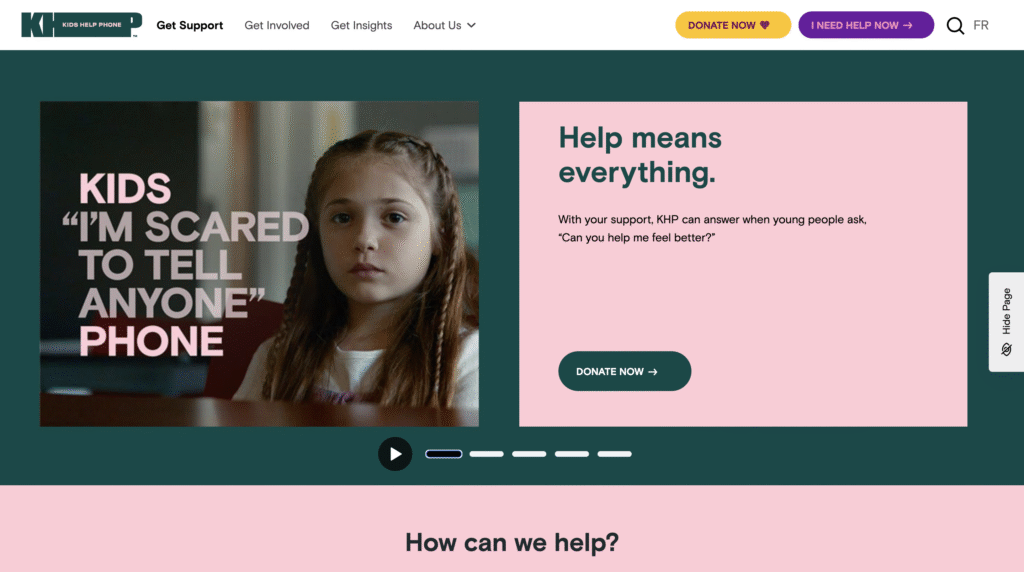
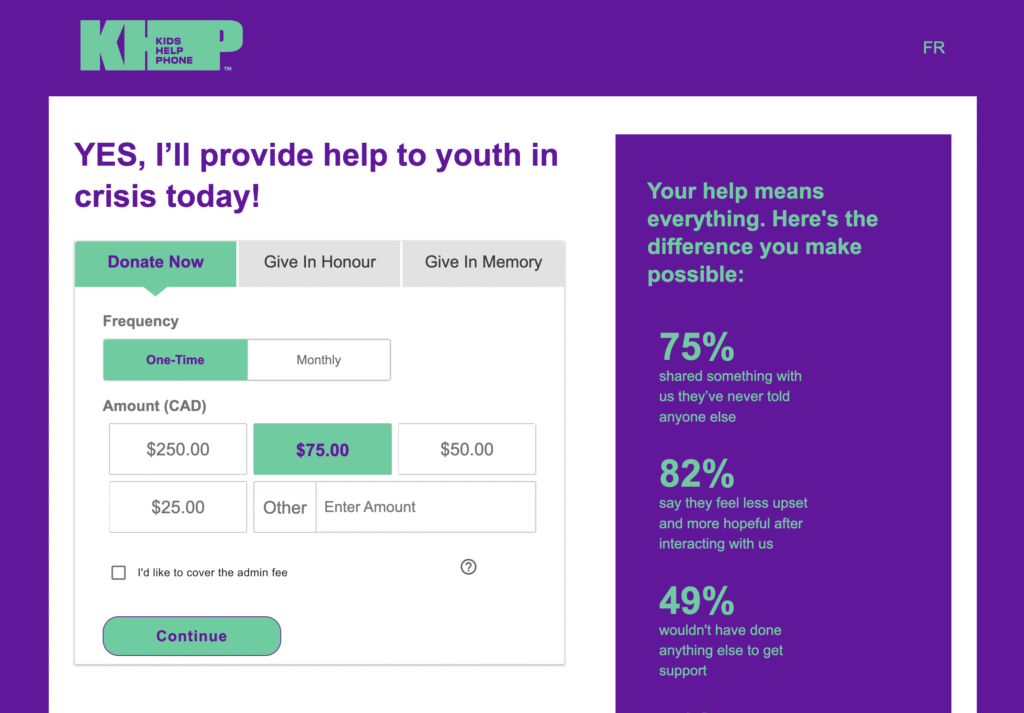
Side-by-side comparison of the home page and donation page, showing consistent branding (Kids Help Phone)
- Plan your donation type. Are you asking for one-time donations? Monthly? Separate campaigns? Decide up front and design the flow to allow potential donors to navigate the page easily and find the campaign type most relevant to them.
- Use your own voice and tone. Customize terms to fit your way of communicating with supporters. e.g., “tribute giving” doesn’t have to be called “tribute giving” if your community uses a different phrase. Also, do you want donors to feel hopeful? Urgent? Inspired? One research report in the Journal of Consumer Psychology found that forms that combine positive feelings of strength and negative emotions of sadness (to evoke empathy) led to more donations than those built around just sadness or just strength.
- Use your supporters’ language. If your organization targets a multicultural/lingual supporter base, ensure that they can clearly understand the language on your donation page. For example, in Canada, you need to provide both English and French versions of the same online donation page.
- Prioritize mobile. Test both desktop and mobile, but on mobile, especially, ensure that your donation form is “above-the-fold” because you want the form to be right there when the page loads. Providing impact stories and other necessary context is essential, but if donors have to scroll too much, some won’t realize the form is even there.
Common mistakes to avoid when setting up online donation forms
Some of the common mistakes we see:
- Not checking all the pages in the flow, like the success page or the failed transaction page. Avoid this mistake so key donor touchpoints aren’t left off the form.
- Overlooking the thank-you page. This is a huge opportunity to thank your donor, show impact, and keep them engaged, but it is often overlooked.
- Not customizing message templates. Those post-donation emails can feel impersonal if left at their default settings.
- Irrelevant or too many fields. Do you really need someone’s middle name? Probably not. Every extra field adds friction.
- Generic donation amounts. Using default amounts (like $25, $50, $100) without checking what makes sense for your donors. Ignoring this can mean missing out on higher donations or scaring off donors who typically give less than the defaults.
- Too much text above the form. Especially on mobile, this can bury the actual giving fields and reduce conversions. The form itself should be visible and easy to use right away. If there’s too much text or imagery above it, especially on mobile, that can get in the way.
How raisin empowers nonprofits with customizable online donation forms
raisin’s online donation forms are built to be easily customizable for nonprofits and seamless for donors, with tools that go beyond the basics of collecting a gift. Here are a few ways that using raisin enhances the online donations experience for your donors and your team:
For donors:
- Personalized thank-you flows. Every donation can trigger its own thank-you page, follow-up emails, and even reminders, making stewardship automatic without losing the personal touch.
- Flexible giving paths. The platform supports everything from one-time and monthly giving to tributes, corporate matching, and donor-covered fees, so you can align the form with the way each supporter wants to give.
- Optimized for any device. The forms adjust seamlessly to both mobile and desktop, featuring a simple layout that keeps the focus on the donation itself.
- Connected to the bigger picture. raisin integrates with CRMs and email platforms, allowing donation data to flow directly into the rest of your supporter journey.
For nonprofit teams:
- Choose the correct setup for your campaign. You can launch a standalone donation form or create a micro-site depending on your needs. A single form is quick to set up and ideal for evergreen giving, while a microsite gives you multiple content pages and more storytelling opportunities to connect with donors.
- Embed forms directly on your website. Instead of redirecting donors away from your site, raisin allows you to embed the donation form inline. That continuity reinforces brand trust, keeps the experience seamless, and helps boost conversion rates. {This feature is currently in closed beta}
- Adapt gifts when donors need change. If someone requests to update their recurring gift type or adjust a tribute card, you can make those changes in the admin console without disrupting their history or reporting.
- Stay on top of reporting. The Donations Summary Report provides a real-time view of gifts received, including totals by campaign and detailed breakdowns by gift type. That visibility helps you adjust your forms; for example, now you can easily change default amounts to better match average donation sizes.
Online donation forms might seem like a simple function, just a way to collect gifts, but they’re actually a core part of how nonprofits raise money, build trust, and shape their brand. The more intentional you are about customizing them, the stronger your results will be.
Words by Sonia Amadi and Alexandra Le Blanc
Think back to when peer-to-peer (or P2P) events, such as walkathons or ride-a-thons, were all offline. In Canada, depending on your age, many people still remember the Terry Fox Run or Jump Rope for Heart, with paper pledge sheets in hand, going door-to-door and asking neighbours for support. Sometimes you’d even have to go back later to collect the cash. That was the norm.
Today, those events look entirely different. Most organizations have shifted online and taken their peer-to-peer (pledge and multi-pledge) fundraising with them. It’s changed everything. Registration happens digitally, donations flow directly into the organization’s bank account, and participants can share personal fundraising pages with links or QR codes. The reach is bigger, the process is faster, and donors don’t need to worry about carrying cash.
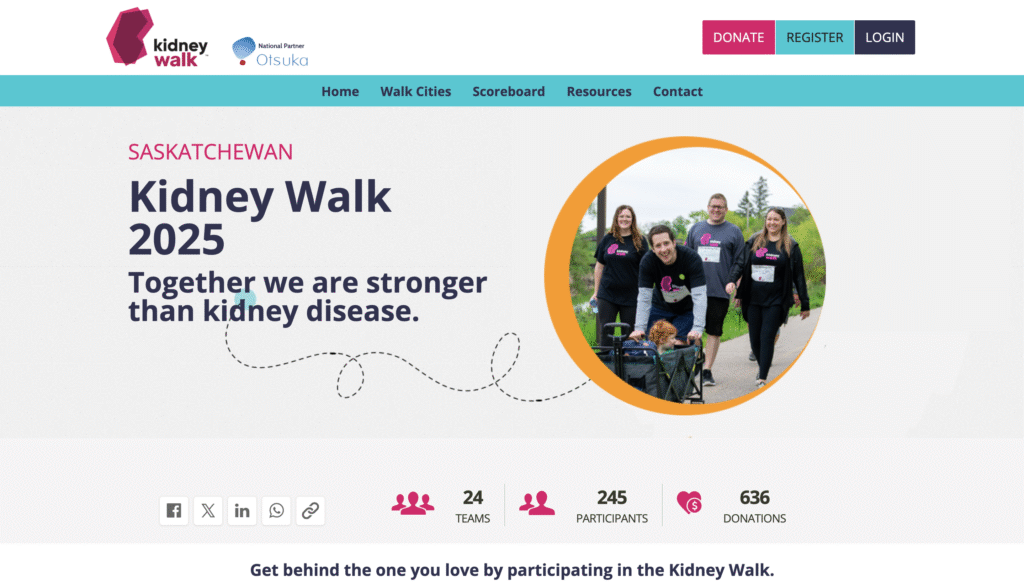
An example of a P2P event page hosted on raisin
Still, some groups with older donor bases continue to see a high percentage of offline pledges. For example, we have a nonprofit organization that still receives more than 50% of its gifts this way. They’ve adapted by managing both streams, but from an organizational perspective, online peer-to-peer fundraising is always preferred–it’s easier for accounting, reporting, and real-time tracking.
Three core elements of running P2P events online
The registration flow
The first thing to get right when hosting P2P events online is the registration flow. If it’s too complex, people drop off. Some organizations create long, confusing flows with multiple event types and distances to choose from. That might be fine for experienced participants used to complex registrations, but for most donor and participant bases, especially older ones, it gets overwhelming. The rule of thumb is “only ask what you really need, not what’s just nice to know.”
The fundraising story
The second core element is the story. In peer-to-peer fundraising, the story is often the most important thing you can control. For most participants, the default content you set will become their story. Many won’t customize their personal or team pages, so the images, messaging, and tone you provide are what donors see first. That’s a huge opportunity to frame the cause correctly and set the tone for the entire P2P fundraising experience.
But the story doesn’t stop at the page itself. It appears across every touchpoint: the emails from the participant center, the footers on automated updates, and even the reminders or thank-you notes that are sent along the way. When all of these pieces line up, every supporter, whether they’re donating through a friend’s page, opening a campaign email, or clicking into an event reminder, gets a consistent, meaningful impression of the organization and why the fundraising matters.
That consistency is what makes peer-to-peer fundraising powerful: the story doesn’t just live on the donation page; it’s carried across the whole journey, making every interaction feel connected to the cause.
Analytics and tracking
Tracking is the third piece. Weekly reporting is critical:
- How many participants have registered this week?
- How many of them have raised $0, and for how long since they registered?
With analytics, it’s easy to distinguish between someone who registered yesterday and hasn’t started yet and someone who registered a month ago and still hasn’t raised anything. That insight tells you when to nudge participants with follow-up emails or calls.
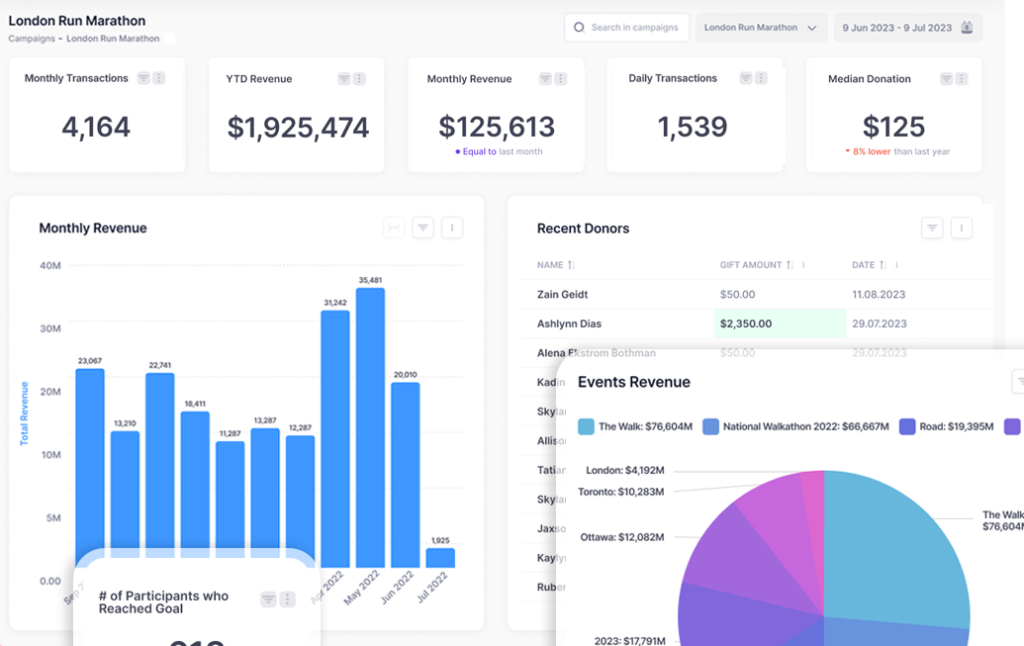
P2P events analytics dashboard
Five tips for successful P2P events
When it comes to setting nonprofits up for success with their peer-to-peer campaigns, here are a few things that have made (and will make) a difference:
- Email and participant center tools. These tools create a significant opportunity for engagement. They’re not just for reminding people who haven’t started fundraising yet, but also for celebrating the folks who have. Automation lets you send reminders, build excitement, and congratulate top fundraisers.
- Personal touches for top performers. If someone raises $10,000 or more, don’t just rely on an automated note. A personal email or even a phone call from leadership goes a long way. It makes them feel like a real champion for the cause, because they are.
- Digital check-in. On event day, the paper lists with participant names just don’t cut it anymore. Having a smooth digital check-in system saves time, avoids errors, reduces the strain on the team and the participants, and, perhaps more importantly, makes swag distribution easier.
- SMS for event-day communication. Being able to schedule emails about parking, logistics, or accessibility is really useful. And SMS is the next big thing here. Quick texts can reach people faster than email when they’re on the move.
- Scale-friendly tools. As the number of fundraisers increases, consider adopting an online fundraising software with features such as AI fundraising assistants. Or mobile-first apps that combine check-in, messaging, and updates. As the P2P events continue to scale, these features will help participants and fundraisers self-serve, reducing the need for your team’s attention to the minutiae of fundraising event planning and execution.
Promotion strategies for P2P events
The whole purpose of peer-to-peer fundraising events is to grow an organization’s reach through network effects. The events that really thrive are the ones that go beyond logistics and think intentionally about promotion.
What nonprofits can do themselves
- Build a community. The best events aren’t one-and-done. They create year-round communities where participants know each other, feel connected to the mission, and keep coming back. That sense of belonging is what encourages people to share and recruit.
- Tell a consistent story. Make sure the event story shows up everywhere, on your website, in your emails, and in your social posts. When people see the same message echoed across touchpoints, it feels bigger than just a single fundraiser.
- Keep communication flowing. Use email and social updates throughout the campaign to celebrate milestones, highlight top fundraisers, and spotlight impact. It keeps energy high and gives participants content they can reshare.
- Leverage digital ads and retargeting. If the budget allows, consider promoting the event through Facebook or Instagram ads to reach beyond your existing audience. Retarget people who visited the event page but didn’t register or donate.
How nonprofits can empower participants
- Gamify the experience. Leaderboards, badges, and friendly competition — whether team vs. team or individual challenges — give people a reason to push themselves and recruit others.
- Give them ready-to-use content. Provide social media graphics, sample posts, email templates, and quick text blurbs. The easier it is for participants to share, the more likely they are to do so.
- Encourage storytelling. Remind participants to explain why they’re fundraising. A personal story about their connection to the cause is more compelling than just a link. This is the heart of P2P fundraising: participants become advocates.
- Make sharing effortless. Equip pages with one-click share buttons for Facebook, Instagram, Twitter, LinkedIn, and email. Even small nudges like “Share your page now” in the participant center can make a big difference.
- Highlight peer influence. Showcase top fundraisers and recognize when participants bring in new donors. Public recognition motivates others to do the same.
How raisin helps nonprofits run P2P events online
raisin makes it easier for nonprofits not just to launch a peer-to-peer fundraising event, but to grow it sustainably. A few features stand out:
- Built-in referral program. P2P is all about network effects, and raisin gives participants the tools to spread the word. The referral program lets fundraisers earn badges and recognition for bringing in new donors or registrants. That built-in incentive encourages them to tap into their networks, making recruitment feel less like a burden.
- Super Starter onboarding. Getting participants to register is just step one; the challenge is getting them fundraising right away. raisin’s Super Starter sequence automatically guides new participants through key first steps: updating their page, making a self-donation, and sharing with their networks. Our research shows that nudging them in those first 48 hours increases the likelihood that they’ll stay engaged throughout the entire campaign.
- Support for admins and fundraisers alike. On the backend, staff get simple tools to track referrals, monitor who’s taking action, and identify where more support is needed. On the front end, fundraisers get a smoother, more guided experience that keeps them from stalling out.
Together, these tools make it easier to run p2p events online: participants start strong, they’re motivated to bring others in, and the organization can see which levers are working in real-time.
When both sides work together, with the organization setting the stage, and participants carrying the fire into their own networks, peer-to-peer fundraising events achieve what they’re designed for: multiplying reach and impact through the power of community.
Words by Sonia Amadi and Alicia Menzies
Peer-to-peer (P2P) fundraising has evolved into one of the most impactful ways nonprofits can expand their reach, deepen donor relationships, and drive meaningful revenue growth. However, succeeding with P2P engagement requires more than just setting up an event and hoping supporters will show up. It’s about experience, community, and consistent engagement.
A common misconception is that running a peer-to-peer fundraiser is as simple as hosting an event and waiting for people to return year after year. But that just isn’t enough anymore.
The turning point comes when organizations make their events memorable. One example is the Colorectal Cancer Alliance’s “Moment of Unsilence”, a powerful moment where participants scream together before their walk begins. That single addition transformed their event, sparking strong participant engagement and retention.
At its best, peer-to-peer fundraising is about the experience of participants and how they bring others into that experience. That’s what unlocks network effects and long-term engagement.
Recruitment strategies for participants
Strong recruitment starts with meeting people where their connection to the cause begins.
- Community partnerships. Breakthrough T1D Canada taps into hospital networks where families are first diagnosed with type 1 diabetes, inviting them to join local walks as a way to connect and build community.
- Local champions. Hockey Helps the Homeless relies on local co-chairs in each city to recruit participants from businesses and community networks. The Brain Tumour Foundation has also begun empowering community champions to lead local events when staff can’t.
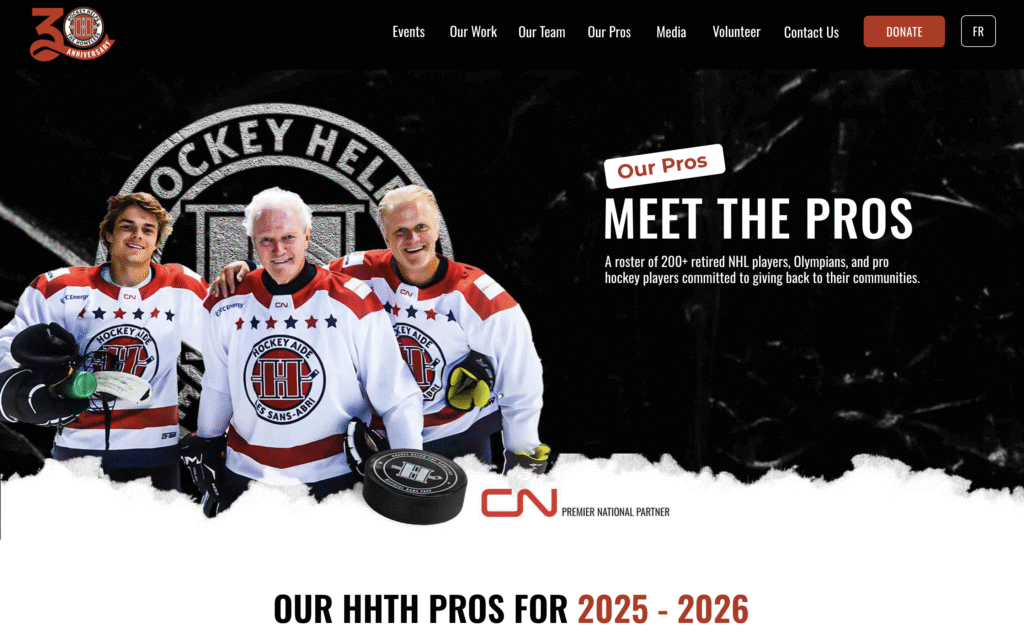
The HHTH Pros page (Hockey Helps the Homeless)
- Digital outreach. For CNIB’s Pup Crawl, an entirely virtual event, recruitment happens largely through Facebook and online advertising.
- Internal pathways. Some organizations use entry-level events, such as walks, as feeders into more intensive rides or tournaments, building supporter journeys that grow over time.
Equipping participants is just as important as recruiting them. Nonprofits that provide clear resources, FAQs, and fundraising toolkits see higher p2p engagement and stronger fundraising results.
Gamifying the P2P engagement experience
Gamification taps into participants’ sense of fun and friendly competition. Done well, it boosts both fundraising and retention.
Thermometers and online features
Before the event itself, digital gamification tools keep participants engaged on a day-to-day basis. Fundraising thermometers on personal and team pages create a visual sense of progress and urgency. Leaderboards spotlight top individuals or teams, sparking friendly competition. Badges for achievements like “self-donated” or “returning participant” reward consistency and keep participants motivated. These online features let supporters feel the same momentum in the weeks leading up to the event that they’ll feel on event day.
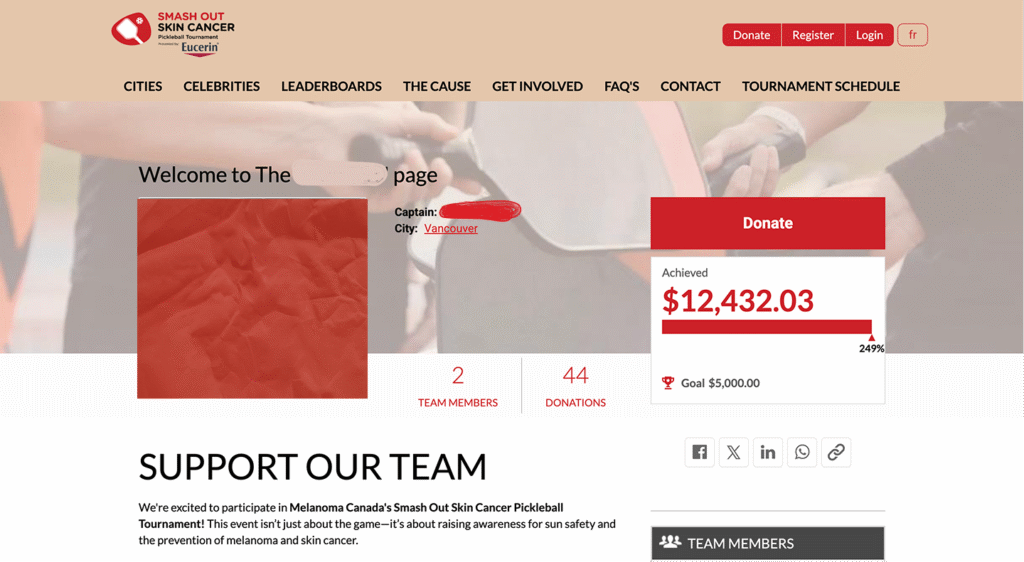
A P2P fundraising team page with a thermometer (Melanoma Canada)
Recognition through gear
The Princess Margaret Cancer Foundation doesn’t just reward fundraising milestones with digital thank-yous; they turn them into visible markers of achievement. Riders earn different jerseys and achievement badges based on their fundraising levels, creating a sense of pride and belonging. When you show up on event day in a jersey that signals you’ve raised $5,000 or more, it motivates both the participant wearing it and others who want to reach that level next year. Achievement gear becomes a kind of mobile billboard for the cause.
Pre-event incentives
At Jack Ride and Brain Tumour Foundation events, the momentum begins long before the event day. Riders who hit early thresholds might receive water bottles, hats, or even helmets sent to them in advance. Those early rewards are more than just tokens; they’re reminders that the event is approaching, nudges to keep fundraising, and a way to maintain high energy long before the start line. Pre-event incentives also create natural opportunities for social sharing, which fuels network effects.
Non-monetary recognition
Some organizations highlight top fundraisers on event banners or walls, or invite them on stage for a moment of thanks. These gestures give fundraisers a sense of pride that’s often more powerful than prizes. Survivor flags on bikes at cancer rides are another example: they carry deep meaning, honouring both participants and the community they represent. These touches reinforce why the fundraising matters, tying achievement back to the mission.
Social media amplification
Social media is now central to P2P engagement in fundraising. Its reach extends far beyond the event itself, making every participant a potential advocate. By equipping participants with stories and assets, nonprofits turn social posts into authentic calls-to-action that drive both awareness and donations.
- Storytelling. Video content from participants and patients resonates deeply, helping others understand the “why” behind the cause.
- Easy sharing. Organizations that create ready-to-use assets, graphics, captions, and hashtags remove barriers for participants and multiply their reach.
- Impact framing. CNIB shows progress in concrete terms, such as the number of service dog donations that will be funded, making sharing a lot more compelling.
How raisin supports P2P engagement
raisin makes it easier for nonprofits to design P2P campaigns that grow organically and keep participants motivated:
- Referral programs. Built-in tools enable participants to recruit friends and family directly, turning every supporter into a fundraiser. Fundraisers are motivated to recruit new donors or registrants through a referral program. That built-in incentive encourages them to tap into their networks, making recruitment feel less like a burden.
- Super Starter Onboarding. raisin’s Super Starter sequence automatically guides new participants through key first steps: updating their page, making a self-donation, and sharing with their networks. Step-by-step guidance for new participants helps them get fundraising fast, with templates and resources ready to use.
- Customizable fundraising portals. Nonprofits can set the right story with on-brand images, email templates and default messaging across personal and team pages. Thus making advocacy much easier and ensuring a strong first impression, even when participants don’t customize their fundraising pages.
- Milestone badges that actually move people. Badges are awarded for key behaviours, such as hitting a personal goal, making a self-donation, returning to the event, or captaining a team—and they display on the participant’s page and in their “trophy case” in the fundraising portal.
- Kick-start with bulk participant import. If you’re migrating last year’s riders/walkers or onboarding a whole roster at once, you can import participants (and teams/groups) in bulk. raisin auto-creates usernames, generates passwords, spins up default personal/team pages, and can send an automated email with the participant’s account information so that fundraising can start immediately.
- Targeted survey questions. Surveys can be dropped into specific moments. That way, you collect only what you need, when you need it. You control response types (lists, radios, multi-select, text), required/optional status, and conditional logic to reveal follow-ups based on a prior answer. Some examples of those moments:
- Registration: When a participant registers for the event.
- Team creation: When someone creates a team for the event.
- Donation/Sponsor: When a person or organization makes a donation to a participant or the event as a whole.
- Volunteer sign-up: When someone volunteers to help create/steward the event experience.
Peer-to-peer fundraising succeeds when it focuses on people and connection. The best campaigns do more than raise money; they create experiences that inspire participants to stay involved and bring others along.
By designing events around engagement, strong recruitment, meaningful storytelling, and easy sharing, nonprofits can build lasting communities. With tools like raisin, it’s easier to guide participants, celebrate progress, and track results so every event drives growth and deeper supporter relationships.
Words by Sonia Amadi and Jordana Knoblauch
You’ve led major engineering and product transformation across different sectors, from insurance to international development.
What made you choose to bring your skills into the nonprofit space, and what lessons are you carrying into your work?
Until four years ago, my career was best summarized as helping large companies increase their profits. And through that era, I was involved in some really awesome and cool technology projects. I worked with some fantastic people, and it was also a lucrative field to be in at that time. But when I put my head down on my pillow at night, I didn’t feel that great about making an insurance or telecommunications company more money.
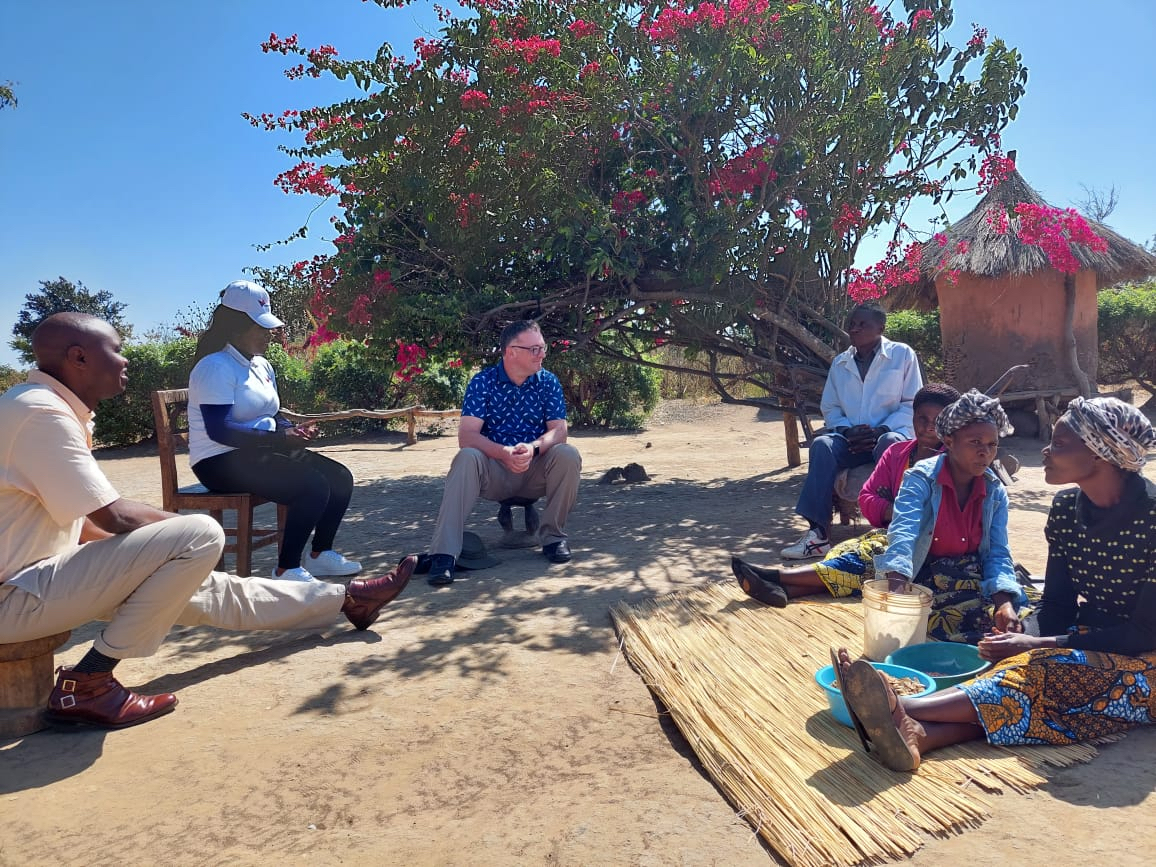
About four years ago, I got an inbound call from a recruiter at an organization that was operating a communication platform across Africa. Their user base was people at the bottom of the economic pyramid, who had nothing more than a basic phone. These individuals often had no access to power or running water. That phone and the information service they called into were their lifeline to the world. Through that organization, they received important information on family planning, farming practices, and other relevant topics.
So, as soon as I heard about that opportunity, I jumped at it and had a really rewarding three years of doing that work. And it helped me understand that my time and my work as an engineering leader could be used for good.
I received a similar call a few months ago about a company in Canada called raisin, which I was not familiar with. When I looked into raisin and found out that we’ve spent over two decades helping nonprofits raise money, it was just a question of how quickly I could sign up to be part of that. I’m really excited to be here.
We’re really excited to have you here as well, Darryl.
What role would you say software plays in helping nonprofits grow, connect with their community and create change?
You said software, but I think technology in general is a great connector. It’s also a great efficiency multiplier. It can be used to connect people within an organization and to their constituents, including potential donors, fundraisers, and potential beneficiaries of the nonprofit.
In our world of fundraising, tasks such as handling payments, issuing tax receipts, and building community are a massive burden for many nonprofits. Automating these tasks can significantly reduce that burden, as nonprofits are typically understaffed. So, as I mentioned, technology can be a great connector and a force multiplier in terms of efficiency.
How do you build technology that is human, intuitive, and actually useful to people who work at nonprofits?
I think to anyone who’s not a technologist, not just in the nonprofit space, technology is a black box. Most of us don’t actually understand what’s inside our phones or our laptops. So, it’s crucial for us as technical people to remind ourselves of that.
The only thing people care about is what that technology does for them. So, building something intuitive, human, and useful is essential. Much of that is achieved by adopting a design and user research mentality, and saying, “I want to understand my users really well,”…“I want to design a system that’s easy to use and actually does useful things efficiently.” That’s the core of it.
Sometimes the technology is very simple, but at other times it’s very sophisticated and complicated; you can still use great technology to deliver that experience. But no one really cares what programming language you used to build that technology. It’s good to remind ourselves as technologists that what really matters is what the thing does on the outside.
In line with that, what are some key technology initiatives you’re excited to drive at raisin 2.0?
I can tell you some really exciting things on our roadmap that are happening right now. One of those is called “raisin Payments”.
Today, raisin integrates with seven or eight different payment providers, each with its own fee schedule and technology. raisin is now becoming a payment provider and a one-stop shop for nonprofit fundraising. This results in simplified administration and lower fees, which means that our nonprofit clients can keep a higher percentage of their donation amounts.
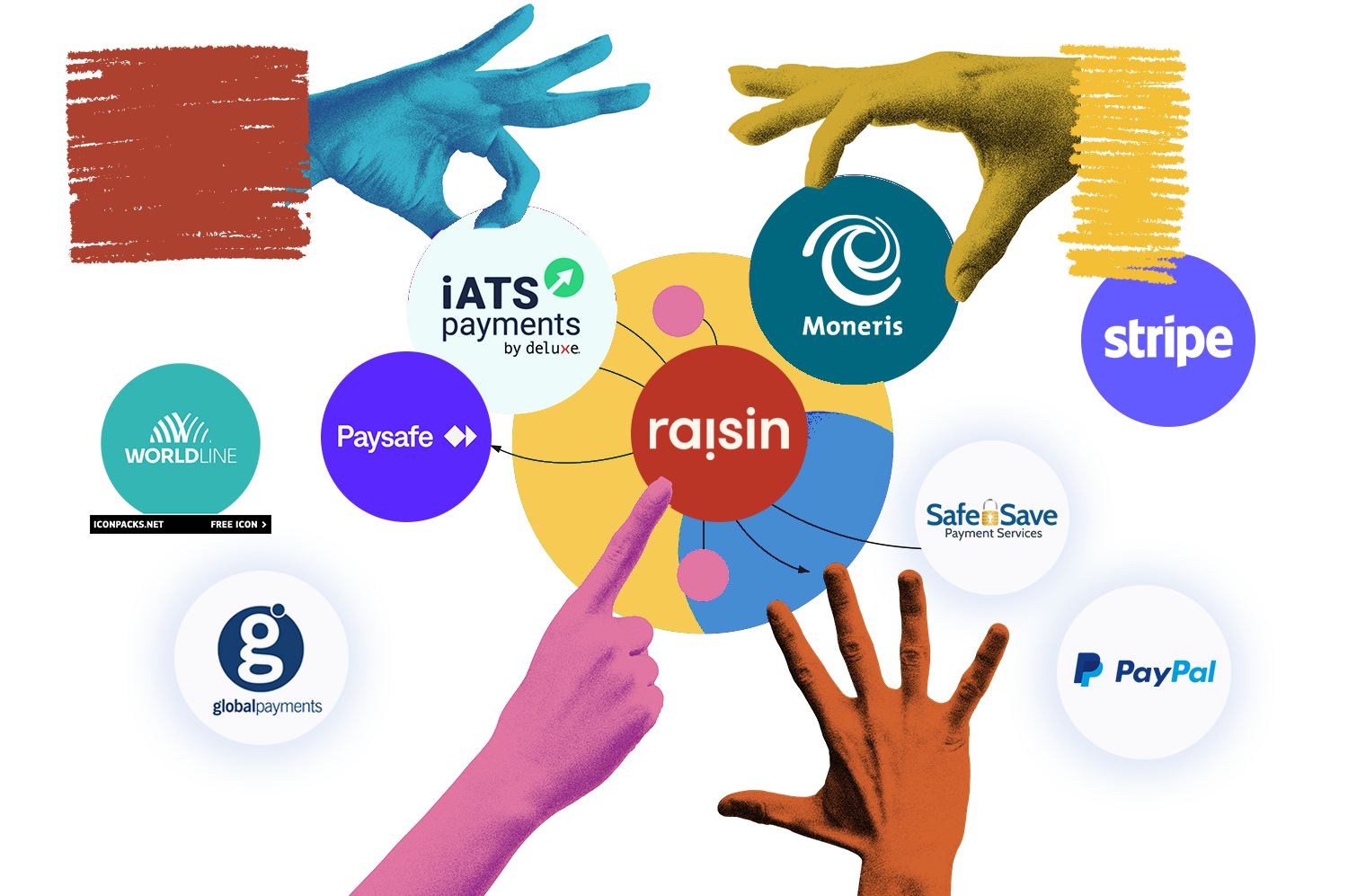
So that’s the number one that’s going on right now.
The second thing is that we’re starting to incorporate AI into our software. When raising money for fundraising events like Movember, the biggest pain for me was creating social media or email posts to potential donors. On multiple occasions, I was blocked by not being able to do that quickly.
We’re almost finished putting in some AI capabilities to help people write things like social media posts that are personalized and have all the necessary information about the cause they’re fundraising for.
That’s a feature I’m sure donors would love to try out. What’s the best advice you’ve ever received as a leader, and just generally in the course of your career?
I’ve received plenty of good advice over the years. But the piece of advice that’s stuck with me is something I observed early in my career.
I looked at the leaders whom I liked and for whom I did my best work. And I realized they were people who cared about me and, in general, their team members. So, not just their direct reports, but everyone on their team. So even if they were the CEO, they made a point of caring about everybody. Those leaders ultimately got the best out of their employees.
It’s become a habit. That genuine care you have for people creates an environment where people do their best work. And that’s what you really want. It’s the best thing to do, and it’s the right thing to do.
What’s a tech trend that you’re observing, but you’re not sold on just yet? Especially since you’ve already worked in the cutting-edge part of the space, Gen AI.
My answer is AI in general. I’m obviously sold on parts of it, but I also know the limitations and dangers of AI. Partly because I’m a technologist, partly because I put it into practice in the real world. So I’m worried about a couple of specific things around generative AI and AI in general.
One is the reduction in people’s willingness or ability to think. I’ve seen some recent studies, and they’re just starting to understand how young people are using generative AI to do a significant amount of their homework or thinking. They’re actually becoming less able to think independently, which is somewhat terrifying. I don’t want to see a society where we stop thinking and leave it all to an AI.
The second thing is the environmental piece. OpenAI said they spend tens of millions of dollars on people who say “thank you”. It’s obviously lovely that people are saying “thank you”, but that round trip from someone saying “thank you” to ChatGPT responding costs processing time on a server somewhere.
That’s concerning because of how much the use of AI, with all these servers and GPUs (the graphics processing units that drive all the AI technology), is hurting our environment, especially in a world where we’re already starting to see major weather events and impacts from our climate. So while I’m sold on the use cases, I’m also a bit concerned.
These are serious concerns. So, why is it still worth it for nonprofits to invest in AI tooling
The reason that investment in AI is vital for nonprofits is to allow them to accomplish more with the limited resources they have. The ability to create a chatbot that can engage with potential donors, or allow someone participating in an event to compose social media posts that help them raise more funds for their cause, is too valuable to ignore.
Given that our nonprofit partners are raising funds for activities like cancer research and improving mental health, their missions are essential to all of us.
Hello! My name is Darry Ricker. I’m the Chief Technology Officer here at raisin. I’ve spent a couple of decades in and around the Toronto area working at various tech companies, leading tech teams, and sometimes, product management teams as well.
Have thoughts about the future of fundraising and NFP tech? Grab some time to chat with us.
You joined raisin in September 2020. What did those early days teach you about building genuine connections?
So the early days, when I first came on, it was in the peak of COVID, and I found it was really easy to humanize each other because you were getting this peek behind the curtains. You know, there’s a cat walking across your board, or your child is running around in the background. And I think it just helped make things feel more genuine. And that genuineness is what I try to carry through the day-to-day.
I think that really helped to humanize everybody, and it just made it feel like you got to know people a little bit better in this weirdly intimate way.
Totally agree with you. COVID was terrible, but it helped build connections. Now, before that, you taught English abroad for a number of years. How did that shape your approach to supporting nonprofits?
Yeah. So, there’s actually so much overlap between teaching somebody another language and teaching them how to use new software. I think one of the biggest similarities between both of them is that if you can’t explain something right the first time, you have to find a new way to explain it.
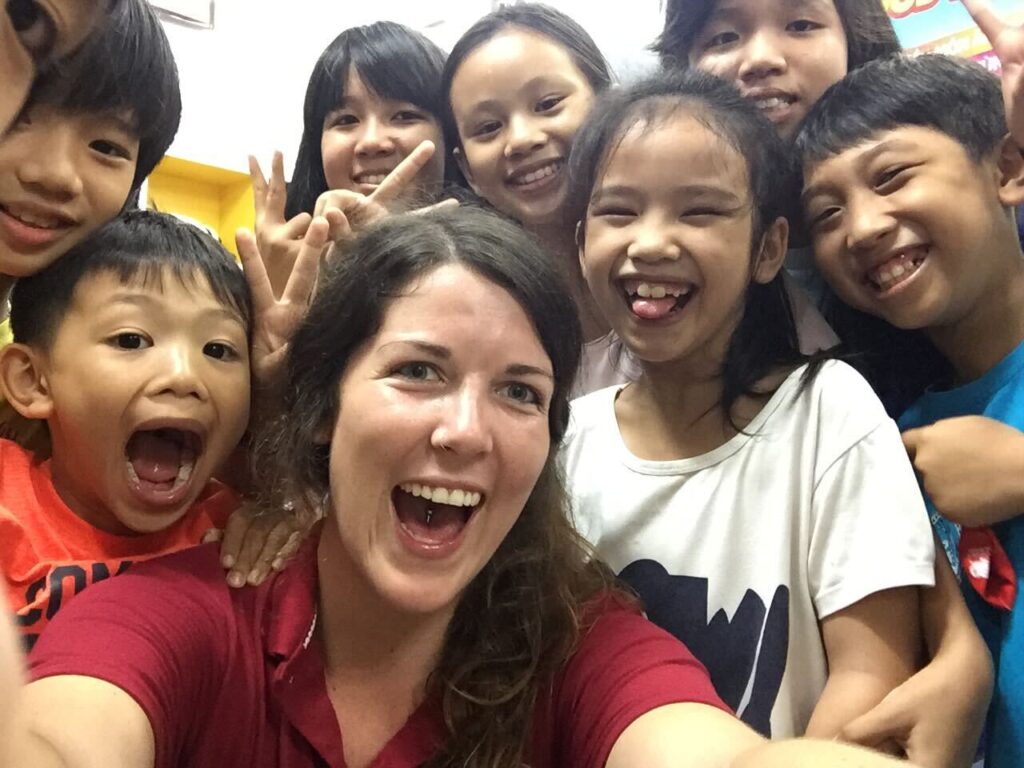
Same thing with a word you could use in a sentence. If the word isn’t clicking, you need to find a new example, a new definition. It’s the same thing with explaining a concept with software.
You just need to get a little bit more creative and be able to translate it in a way that makes sense for that person, because everybody’s going to be different.
That makes a lot of sense.
You recently celebrated your anniversary. Congratulations again 🎉
Thank you!
Now, you’ve evolved into what Star [raisin’s COO] calls the true raisin product whisperer, and I’ve seen it in action. It’s impressive. Were there specific moments or projects that helped you gain that depth of experience?
I think I’m just very inquisitive. I want to know the “how,” and I want to know the “why”. And that has been a big thing ever since I started with raisin. I also have to commend my team for feeding into me and answering my 8 million questions.
When you know why something works the way it does, it’s a lot easier to train others on it. And it’s a lot easier to investigate if something isn’t working as it should.
So I think that inquisitiveness and the need to know a little bit deeper have paid off immensely. That’s been the biggest strength and has really helped along the way in both roles.
What’s a campaign or project you are most proud of being involved in?
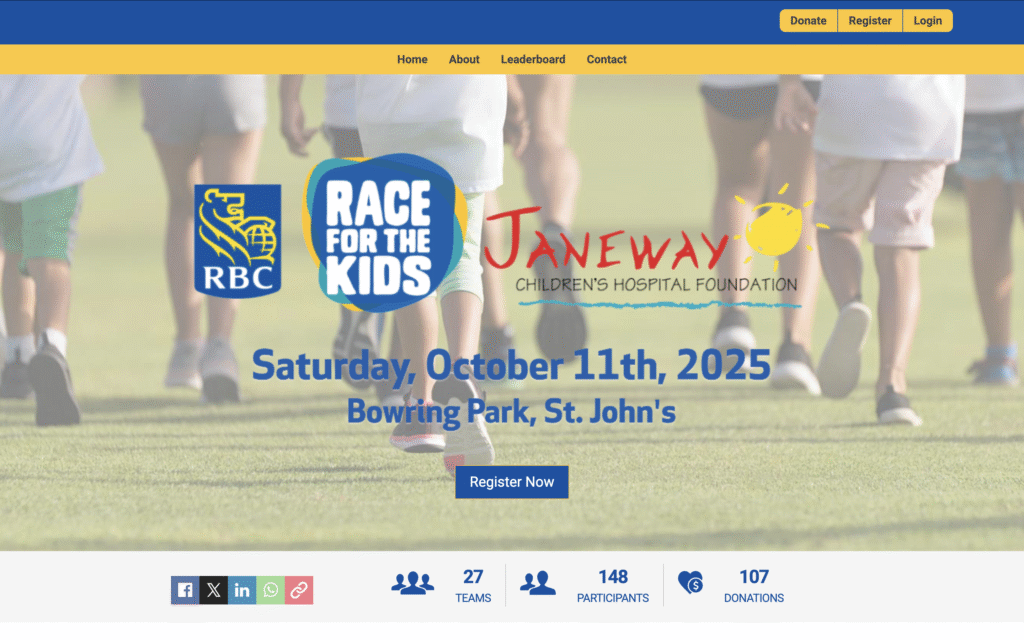
There are so many to choose from, which I think is the best part, because all organizations are different, and their causes are different. I think the most fun was with Janeway Children’s Hospital Foundation, out on the East Coast, and onboarding was really hands-on.
They had a commercial spot, and we were going live 10 minutes before that. So, we hit the switch, went live, tested the gateway, and everything was good. Then, the commercial aired, and I was still on the phone when they got their first organic donation. We all celebrated together.
It’s just really nice to be a part of that moment and really feel like you’re an extension of the team. And, yeah, there are many to choose from, but that was a really fun experience.
That sounds very exciting. I can’t even imagine how it felt.
It was stressful because we weren’t sure if we were gonna make it on time. But when we did, it was that much more of a celebration.
What does seamless onboarding look like? How does that experience feel for non-profit clients, especially those running their first fundraising events with raisin?
For me, a seamless onboarding experience is simply feeling supported. I’m incredibly hands-on, to the point where I might be annoying to you and your team. But I’m going to be involved every step of the way.
I always say there are no stupid questions. When I first started raisin, I had a really stupid question I needed to ask, and I didn’t. That made my work unnecessarily difficult for a week.
So I want people to feel supported. I want them to feel confident. And to know that they always have somebody to go to. With raisin, you’re not just getting sent out to the wolves once you’ve gone through your training.
To be able to feel supported, heard, seen, and to have somebody to actually work with, instead of just throwing some training at you. That’s my definition of seamless onboarding, and I’m glad that raisin clients get to enjoy that with me.
That sounds a lot like empathy. So, how do you balance technical troubleshooting with genuine care for the people you’re supporting?
In support roles, people are coming to you with problems. That’s never the happiest version of them you’re going to get.
I want people to feel heard more than anything, and to be honest with them. If there’s a mistake on either end, I’m not going to fluff things up just to spare feelings. I want the people raisin supports to feel like they are a part of the journey to success, even if it’s not always positive.
So, transparency is really, really important here. And again, just treating people like humans.
What’s one key outcome you’d like every client to feel after onboarding?
raisin Software has so much flexibility and a great front-facing website builder. We’re not all web designers or developers, but raisin makes you feel as if you were.
So, after onboarding, I want clients to feel good about their sites. I want to make you feel like you’ve made something beautiful and really professional. I want everyone to walk away and feel proud of what they put together. To know that you did that. It might not be specifically your role, but I want you to feel really proud of your work.
If onboarding and support had a mission statement under your leadership, what three words would sum that mission statement up?
Confident. Informed. In control.
I want you to feel like you have a say. I want you to feel like you’re part of this, whether that’s feedback, learning, or helping us build out the product.
What’s one tip or word of wisdom that you can share on how nonprofits can get the best from support teams?
If someone wants to get the best value out of support, come to us with more information than you think we need. Screenshots, your participant IDs, your event IDs, every single piece of information, if you can throw it in there, even if you don’t think it’s relevant.
It eliminates a lot of back and forth, and helps point us in the right direction. We can troubleshoot and eliminate issues just based on that information. So when you’re coming, give us everything you’ve got, all the information you possibly can to help us work along the way.
Hello! I’m Kendra, and I’ve just stepped into the Manager of Onboarding and Support role here at raisin – a journey that feels pretty meaningful to me.
Over the past five years, I’ve had the chance to grow within our company, starting as an Accounts Coordinator, then Onboarding Manager, and now into Support. It’s been one of those career paths where each role built on the last, giving me a pretty comprehensive view of how everything connects.
What I love most about this new role is that I get to be there for people during those crucial first moments. Helping them navigate their first campaigns, making sure they feel confident and supported, watching them flourish with their dedicated Client Experience Managers – and then seeing them again in our support channels.
It’s like being part of their story from the very beginning, and watching it unfold in the best ways. There’s something pretty special in that.
How did you start working with nonprofits?
I started with nonprofits as an extra pair of hands, and as the organization’s needs grew and people moved into different positions, I eventually rose up the ladder and got to be more hands-on in the nonprofit space.
Rising up the ladder, how did that work?
The nonprofit I worked for partnered with organizations across Canada to support parents with tools and resources aimed at fostering healthy development during a child’s important first five years. I started out as a receptionist, then opportunities came up around our sales and marketing. So, I worked in the sales and marketing department, and eventually, there was a need for us to build a more digital platform. That’s when I got my first taste of nonprofits online, and it really piqued my interest.
It happened kind of by fluke.
And by fluke, you’ve been here for 20 years
Exactly. I basically started right out of high school.
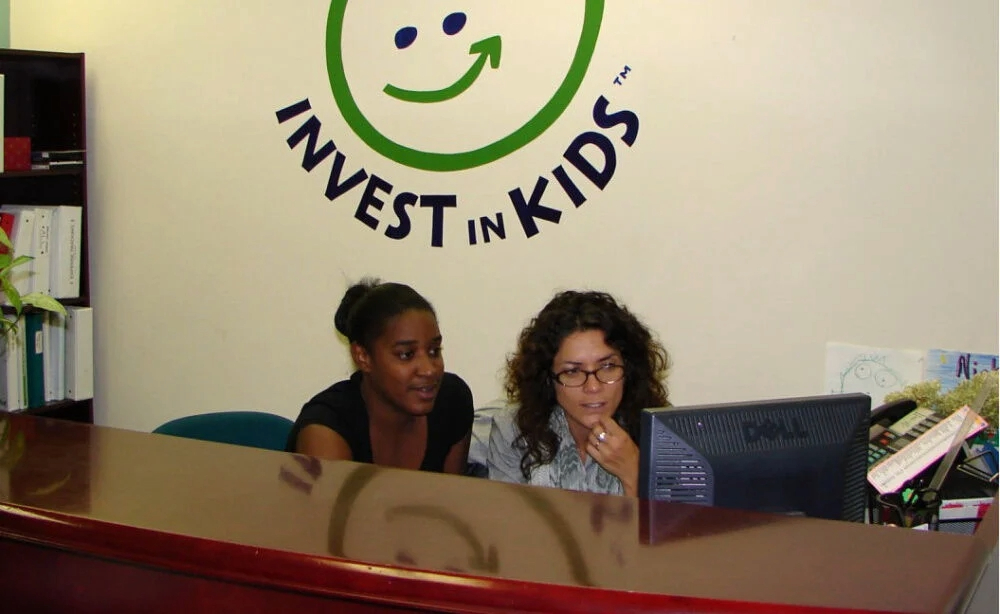
Maxine at the now-defunct Invest in Kids
What does it mean to be a consultant in the nonprofit space?
What I love about working with nonprofits is that I get to spend my career helping and not just working for some faceless corporation. And I think that’s what really sets working with these organizations apart. You actually feel like you’re making a difference, even in a small way.
It’s an amazing space. You’re providing support to these individuals and organizations that are just really trying to change the world.
There’s not much that surprised me, because I’ve been in this space for so long. As technology changes, my clients and I adapt together.
So you got into web development because of your work with nonprofits, and not the other way around.
Exactly. Exactly.
It can be gruelling. You’re working lots of hours, and it’s difficult. But what I love about this part of my job is being able to say, “Hey, I’ve got you”, from a technological standpoint.
Let me hold your hand. Let me do the legwork. Let me go ask the questions and be the liaison so that you don’t have to think about it. Because the technical piece of online giving is not their core business, it’s secondary. It could be even tertiary for them.
And I think being able to step in and take that off their plate is very helpful.
Do you also work with corporate clients? How do you approach working with nonprofits differently?
Yes, I have and still do work in the for-profit space.
With nonprofits, there’s a lot less red tape, because they just want to get the technical piece done. I can really easily build a rapport and trust, and I have more autonomy in the projects I work on.
With larger organizations, corporations, or even some agencies, there’s a lot of red tape, a lot of opinions and different layers of vetting and approvals.
Not to say that all corporations are like this, but at a nonprofit, there’s this sort of push and pull of let’s make sure that everybody’s good. Whereas with corporations, there can be very rigid timelines, less compassion, and a need to just get it done. I find that challenging and less human.
Do you think that the issue of limited resources contributes to how well you work with nonprofits?
Totally.
A lot of organizations are time poor; they lack resources and/or budgets. There’s often a constraint around how professional or dynamic their sites can be. You might want to have all these videos and have interactive content, when really your budget only covers a four-page flat website. I try to do as much as I can to make the websites feel bigger and better based on whatever budget is available.
How do you navigate having limited resources and still wanting to do the best work for your client?
I think it’s a matter of good faith, you know? You just get it done with the tools that you have. You do your best and hope that it’s going to be as good a product as you can make it.
A restriction could even be not having the needed digital assets, so I go out of my way to look for free stock photography online. That way, even if they don’t know these things exist, let alone having somebody to do it, it gets done.
I want them to look good, work functionally, be fast, and have good SEO. To put out a product that’s anything less than that is not good for me either.
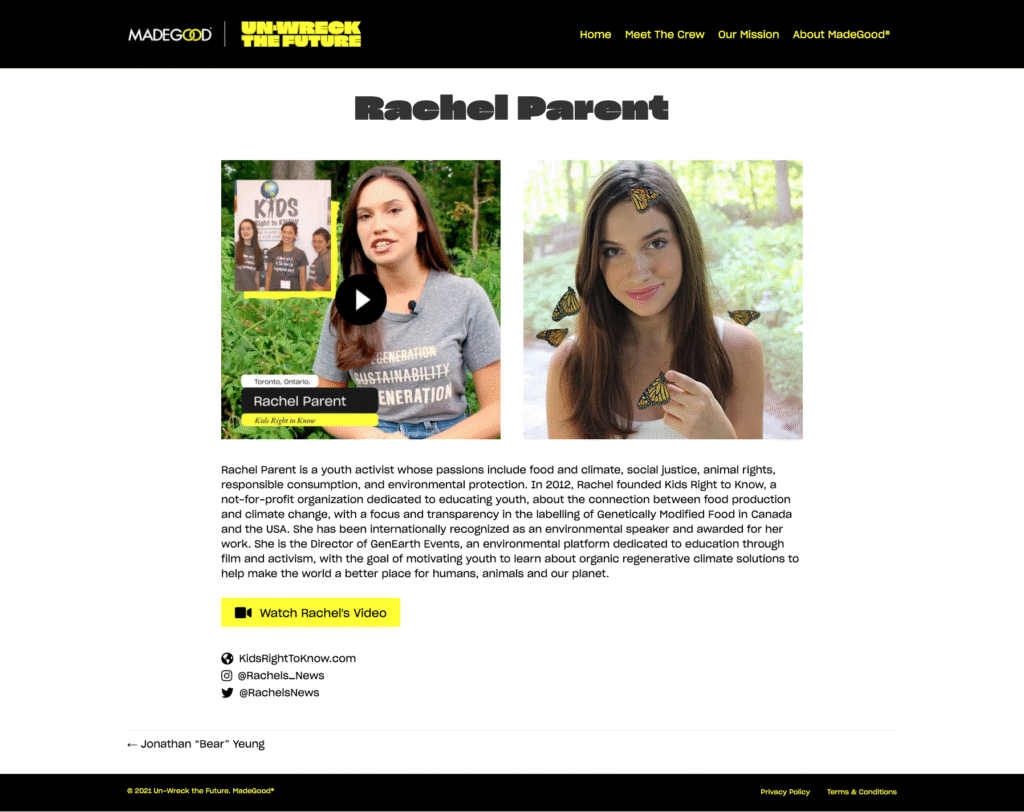
A page from the Un-Wreck the Future website. Built by Maxine for MadeGood.
That makes sense. As someone who’s doing so much, what tools help you stay on top of everything?
What tools help me?
I think a lot of it is just muscle memory. And I know that that’s not really a tool, it’s more of a mindset. “I’ve done this before. So, I know how to hammer this out”.
Obviously, you have to be adaptable. But, in terms of tools and stuff like that, I think it’s being forward-thinking, using your calendars wisely, and being mindful of which clients need what and when. That includes knowing that client X will have a really busy Q1 or knowing that client Y has these big summer events that we have to stay on top of.
Seeing as we’re already on the topic, let’s talk about the future of technology. In the nonprofit world today, what excites you?
Obviously, AI is the biggest buzzword in tech today.
You can’t go anywhere without somebody talking about AI. I feel like in the nonprofit space, AI can be a scary thing to a lot of people. But I think that it can be used to really foster relationships, learn more about your donors and your constituents, if used properly.
The challenge in the space is ensuring that these nonprofit organizations understand that AI is not a scary, bad thing. If it’s used properly, it could really help you connect with your demographic and your donor base.
As someone who builds websites for nonprofits, how do you make them accessible to diverse audiences?
I absolutely love this question.
I am a huge, huge advocate for accessibility online. Sometimes it can be a buzzword, but I think it just needs to be ingrained in what everybody does all the time. And every time I have the opportunity to attend a webinar or a conference around accessibility, I do it because they are always so informative and enlightening.
But it’s also very easy. No, not easy. That’s not the right word. Accessibility is necessary.
Implementing these small changes not only improves your website for people with all ranges of abilities, but also for people in general.
A weird, but effective, analogy is the story of sidewalks at intersections.
Once upon a time, they slanted the edges of sidewalks at the intersections because they needed to improve drainage. But what really happened is it helped people with strollers, walkers, and even people with little kids who can’t step up that high. And so when you change something and make it more accessible, it really is for everybody.
It’s going to improve your SEO and make people more likely to engage with your site. I mean, 22% of online visitors are people with a range of disabilities.
It actually really bothers me when developers don’t take the time to make a site accessible or to even recognize that it might not be…I think it’s lazy. I mean, it’s not overtly hard, and everybody should be implementing these practices.
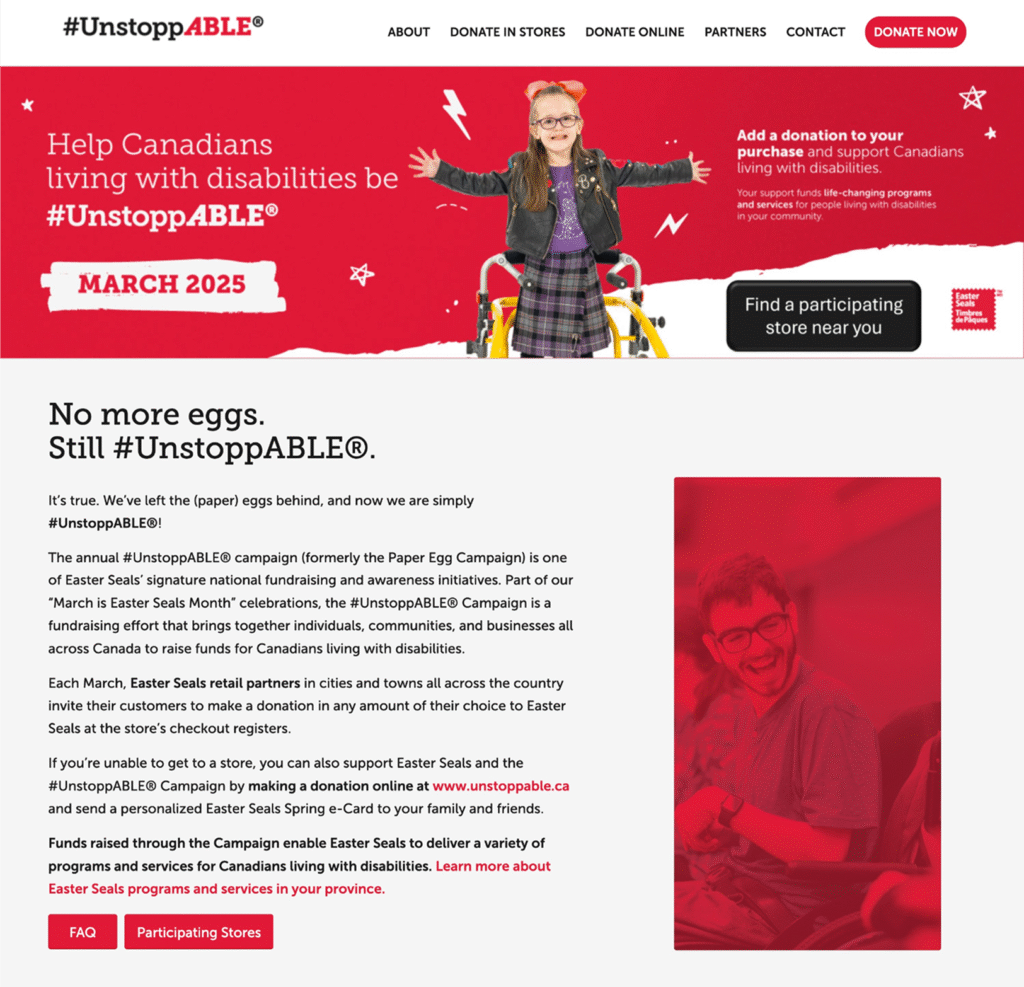
The homepage of the #Unstoppable website. Built by Maxine for Easter Seals.
This is so interesting. Can you share a few areas to pay attention to?
Colour contrasting. That’s huge. You don’t want to be putting, you know, dark blues on black backgrounds, or like white on yellow. More colour issues include identifying markers with colour. So, you know, yellow, red, green. Somebody who can’t see or has colour blindness can’t associate that content with that colour.
Obviously, making sure that the alt tags for your images are actually accurate and not just vibes. Put some thought into them. Don’t just say it’s a green tree. Maybe say it’s a green tree in a forest with, you know, lots of flowers around.
Navigation is huge too. Make sure that your navigation can be tabbed through with various assistive devices. Some people use blow tools. Some people use their mouse. Some people use their keyboard. So always make sure that your navigation is properly marked up.
That was very helpful. Thank you for sharing. What’s something you know now that you wish you knew when you started out fresh out of high school?
The technology moves at rapid-fire speed, so making sure that you’re staying on top of it is important. But also, recognize the reluctance of nonprofit clients to jump into what can be perceived as bandwagons or fads. It might take a little hand-holding and convincing to take advantage of the technology.
They’re developing strategies for the most marginalized, so they’re not going to sit around talking about “how can AI make this better for me?” They’re not thinking about how much time they can spend on social media to start building their brand. They need people who specialize in those spaces to do that for them, so that their resources are free to do their job, which is changing the lives of the individuals that they work with.
Things are improving, though. I’m now seeing clients actually taking the time and spending the money to get consultants to help with their digital, social, or to produce videos.
We already spoke about future technology. Is there anything you’d like to add to that?
Yeah, I think that the fundraising space can be intimidating at times.
You know, it’s become this, “my friend’s doing a walk, just click the link and go”. So you just sort of click and go through that donation process, which is obviously the end goal, but how do we keep people engaged?
And I think a lot of people want to be engaged, they want to know who to donate to and why. Especially in this time when, let’s be honest, the world is on fire. There are 8 million different organizations that you can choose to give to.
So, how do we get people to choose the organizations that they want to donate to and stay engaged with those organizations? These are thoughts that have been swimming around in my mind for ages. How to make it easier for people to be engaged, how to figuratively hold their hands and help them through the donor experience.
Hi, I’m Maxine Paynter, a web consultant who’s been working in the nonprofit industry for many, many years, and I’ve worked with raisin for 10. I’m excited to be part of the team and a part of, you know, making the world a better place, one online-giving experience at a time.
You can find Maxine at maxinepaynter.com or on her LinkedIn.