
July 15, 2026
Customizable Fee Report & Dashboard for raisin Payments
Get a complete, clear view of what you’re raising and what you’re paying, all in one place.
What's new:
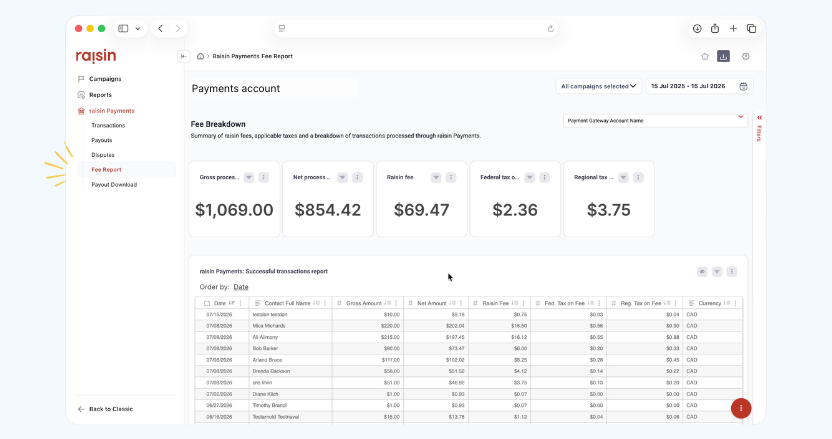
We’ve added an editable dashboard that brings net received, fees paid, and chargebacks into a single view.
It comes with a line-by-line transaction report breakdown of fees and taxes for every transaction and status, and you can download both the dashboard and the report whenever you need them.
On the dashboard:
Summary tiles for Net processed, Gross processed, Fees, applicable Federal Taxes and applicable Regional Taxes
Detailed report of all successfully processed transactions with related Fees, Federal Taxes and Regional for all transactions after April 8. Transactions prior to this are still reported on, but without this data.
Detail report of all “Cancelled” transactions with related Contact information
Note: Chargeback and chargeback fee calculations are in testing and forthcoming. We wanted to get this out to you as soon as possible, and will be layering these details in.
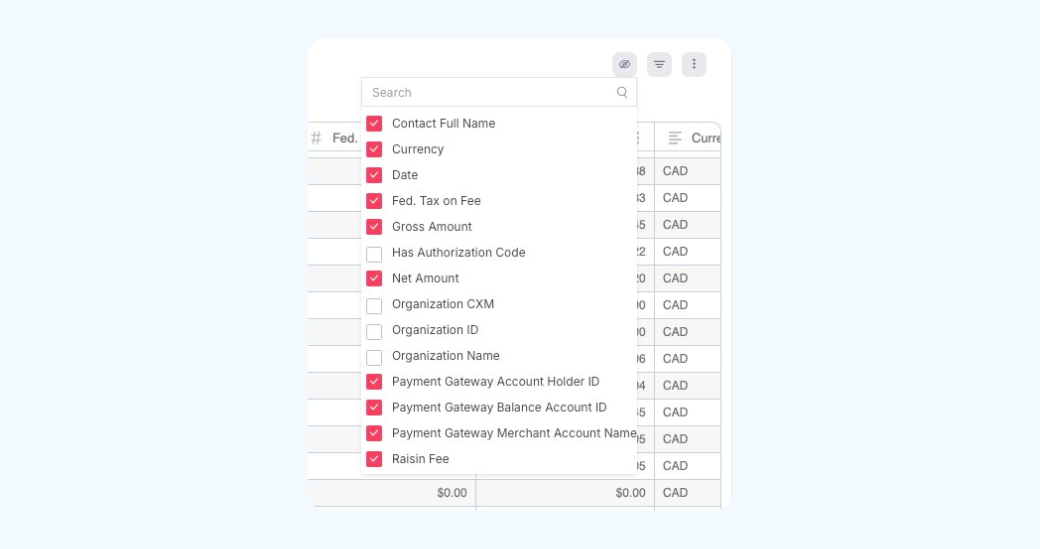
What’s more, all of this is powered by raisin Analytics, meaning you have the flexibility to personalize how reports look and feel – with columns, sorts and calculations that best suit your accounting workflows.
Why it matters:
We think payments should just… work. You told us reconciliation was one place it still got in the way, so we built the Fee Report to fix exactly that. No more piecing together what you actually netted versus what you were charged.
Now, whether you’re reconciling accounts, reporting to your board, or simply trying to understand your costs, everything’s transparent and exportable in one place – less time digging, more time driving your mission.
June 26, 2026
Fresh UI on raisin Payments Transaction Journal
The transaction journal has a fresh look and a couple of much-requested additions.
What's new:
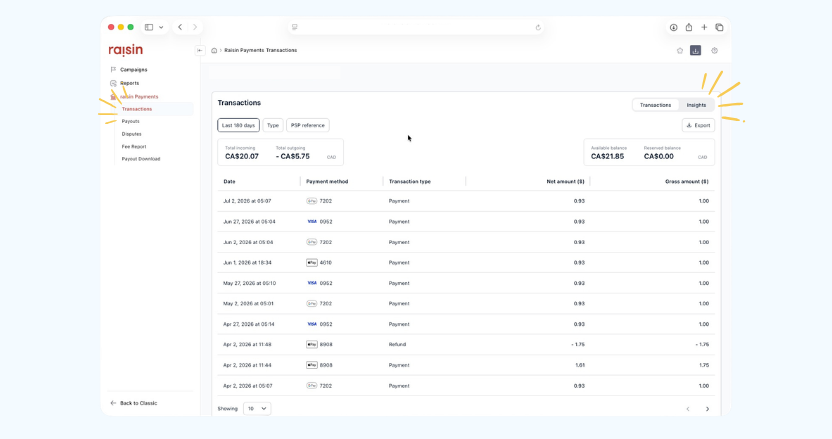
The latest reporting components from Adyen have been added into the Transactions journal:
Redesigned UI that’s cleaner and easier to navigate
Visibility into both net and gross amounts
A one-click export option for the first 100 balance account activities in view
Insights tab, showing balance account activity by transaction type
Why it matters:
Seeing net and gross side by side means you can understand each transaction in full without extra calculations. Small changes (and they are more to come with how we report on payment fees from raisin), but they take the friction out of day-to-day reconciliation.